FlightMate Pilot Tools icon
All-in-one pilot tools
On the App StoreiPhone · iPad · Watch

FlightMate Pilot Tools

Your essential flight companion: weather, calculations, charts and more. Comprehensive flight preparation and management tools, designed by pilots, for pilots. Known inside the app as PilotPro Companion.

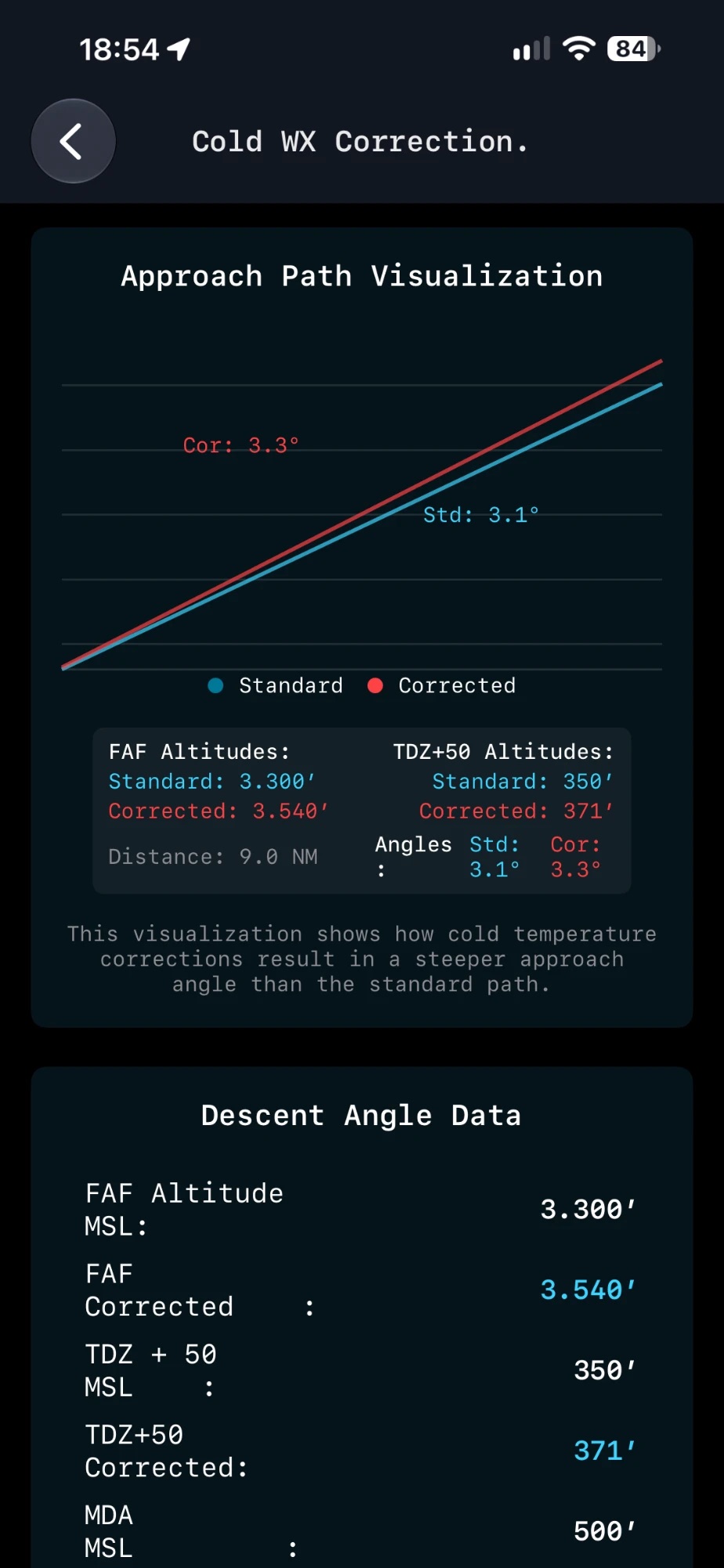
FlightMate Pilot Tools cold weather approach path correction
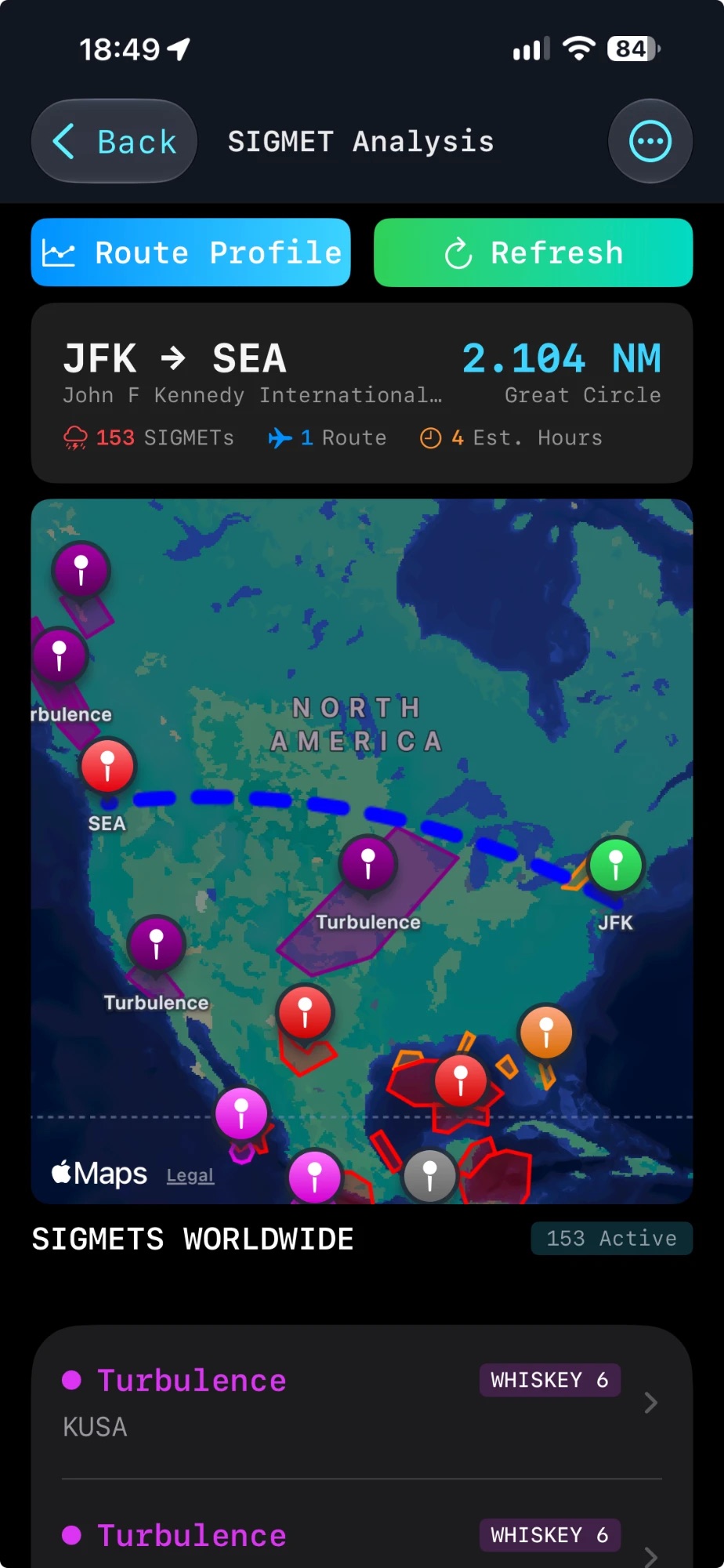
FlightMate Pilot Tools SIGMET analysis for a JFK to Seattle route
Features

Streamline your workflow. Enhance safety.

From the crew room to the hotel, every tool you reach for during a trip is one tap away.

Flight planning & briefing

  • Create and manage briefing packages with integrated weather, NOTAMs and SigWx charts
  • Export and print briefings as PDF documents
  • Monitor favourite airports with customisable alerts
  • Current radar imagery for route planning
Advanced calculators

  • Climb gradient assessments for departure planning
  • Visibility conversions between measurement systems
  • Mach calculations for efficient cruise
  • Crosswind components with a what-if function
  • Fuel uplift (LB/KG, USG/LT) and temperature-adjusted fuel
  • Cosmic radiation monitoring

Real-time information

  • Raw NOTAMs decoded with plain-language explanations
  • On-demand METAR and TAF with map integration
  • D-ATIS for quick airport condition updates
  • SigWx charts by ICAO region
  • SIGMET analysis: worldwide SIGMETs on a map with your great-circle route and a route profile
  • Worldwide radar for weather avoidance
  • Sunrise and sunset times for your location

Safety & compliance

  • Cold-temperature altitude correction calculator
  • Holdover time calculations for de-icing
  • Flight and duty time tracking for FCL compliance
  • NOTOC verification with emergency drill resources
  • Aviation abbreviation decoder

Airport intelligence

  • Extensive airport database with runways and frequencies
  • Create and share airport notes with fellow pilots
  • Visualise runways on interactive maps
  • Map favourite sightseeing spots and restaurants

Layover management

  • Multi-timezone world clock for better rest management
  • Layover rest countdown for crew recovery
  • Currency converter with spending tracker
  • Widgets for time differences and crew rest
Screenshots

See it in action

Weather, charts, airport intelligence and calculators, straight from the app.

Across your devices

On your wrist, your Home Screen and your iPad.

Pilot Tools goes beyond the phone app, so key information is visible at a glance.

  • Apple Watch app. Airport weather right on your wrist.
  • Home Screen widgets. Weather, world clock and crew-rest countdown.
  • App Clip. Try key tools instantly without installing the full app.
  • iCloud backup & restore. Move your notes and favourites between devices.

Watch

Weather complications and quick look-ups.

World clock

Home base and layover time side by side.

Crew rest

Countdown widget for your rest period.

Weather

Favourite airports on your Home Screen.

Why Pilot Tools

One app instead of many

All-in-one

No need to switch between multiple apps during a busy turnaround.

By pilots

Built with input from professional pilots to meet real-world needs.

Save time

Streamline your workflow and focus on flying safely and efficiently.

Offline ready

Critical tools keep working without an internet connection.

Important disclaimer

This app is intended for professional pilots, amateur pilots and aviation personnel. While we strive for accuracy, always consult official sources and your airline's guidance for flight operations.

Take your flying experience to the next level

Download FlightMate Pilot Tools for pre-flight, in-flight and layover needs.